

Your Messages Just Went Private - XMTP Is Live in the Platform Chat
September 4, 2026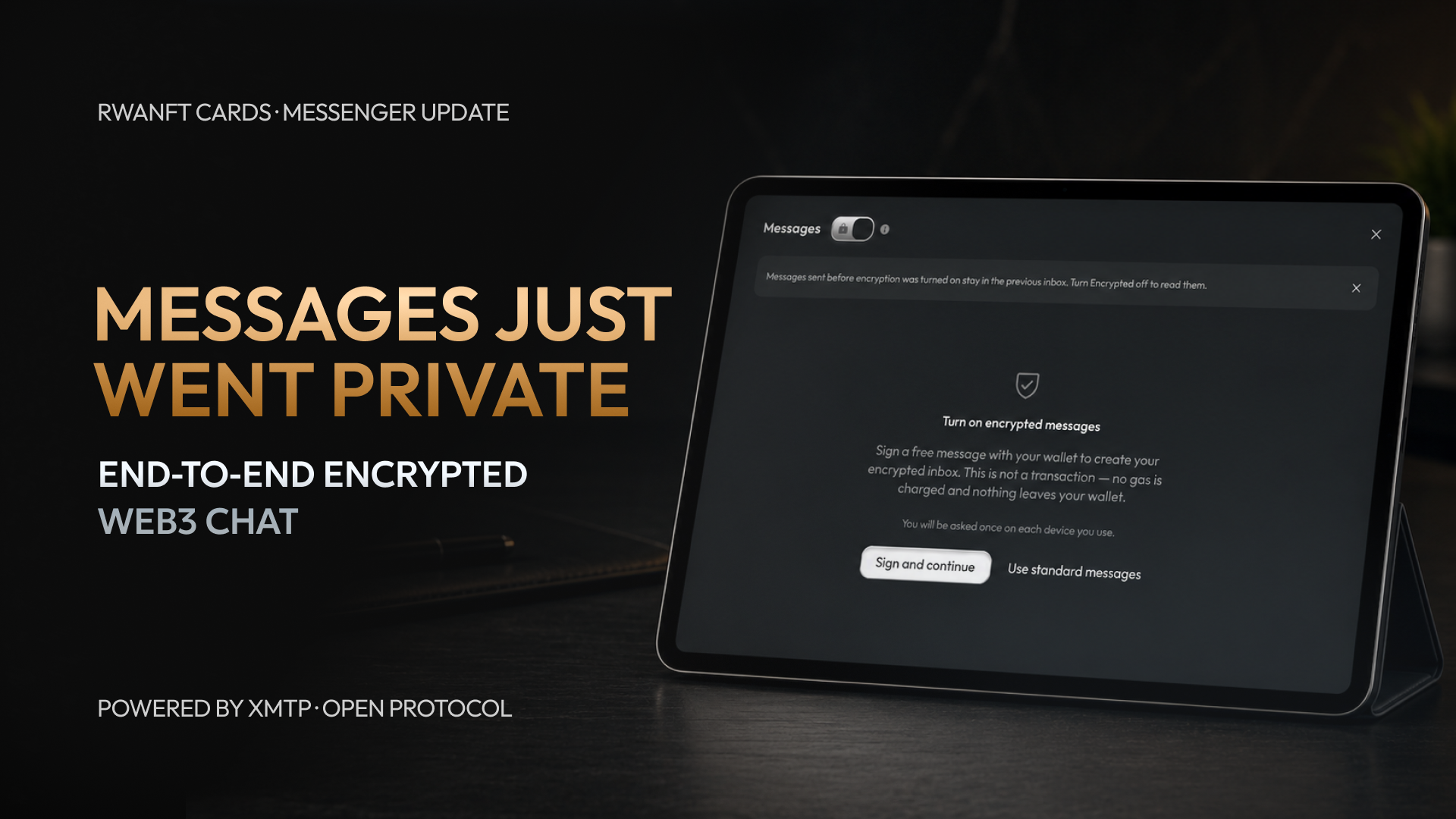
The debit card platform is in active development, the waitlist is running - and the main platform isn't standing still while that happens.
Today we're shipping a major update to the internal messenger. Two changes: one small and long overdue, one that changes how your conversations are protected at the architectural level.
1. Exact timestamps
Every message now shows the exact date and time it was sent. Simple, requested many times - done. You can see precisely when a conversation happened, down to the minute.
2. Encrypted Web3 messaging on XMTP
This is the big one.
We've integrated XMTP - an open Web3 messaging protocol already used by Base, World, and Zora. It's not a new chat design. It's a new trust model underneath the chat you already use.
Here's what changes: with encrypted mode on, your message is encrypted on your own device before it's sent. It travels through the XMTP network as encrypted data and is decrypted only on the recipient's device. The encryption follows MLS (Messaging Layer Security) - an open international standard published by the IETF as RFC 9420, developed with input from specialists at Cisco, Mozilla, Meta, and Oxford.
Your EVM wallet is your identity. You confirm ownership of your wallet with a signature - and that's how the chat knows it's you. No new accounts, no passwords.
The result: new encrypted messages are not stored on our servers. Not in plaintext, not at all. The delivery network sees only encrypted data. We deliver the package - we don't hold the key.
The simple way to think about it
Imagine a locked armored box. You put your letter inside and lock it at home. The courier carries the box - they can see it exists, but they don't have the key. The recipient opens it with theirs.
Before this update, chat security depended on our database. Now it depends on cryptography running on your device. It's not "trust us, we don't read your messages" - the architecture is built so that we don't need access to them in the first place.
How to turn it on
Open your messenger. You can keep using the standard chat as before - or switch to secure mode:
Tap the lock icon in the top left corner.
You'll see Private Web3 chats - messages are end-to-end encrypted and delivered over the XMTP network.
Tap Turn on encrypted messages.
Sign a free message with your wallet to create your encrypted inbox. This is not a transaction - no gas is charged, nothing leaves your wallet. You do it once per device.
That's it. From that moment, your conversations with your network run in private mode.
A few honest notes
We'd rather you know exactly what this is:
Encrypted, not anonymous. Your wallet address is public by nature. The content of your messages is protected - your identity on-chain is not hidden.
New messages only. Your existing chat history stays as it was. Encryption applies to messages sent in encrypted mode from now on.
Your device is your responsibility. End-to-end encryption protects the path and the servers. If a device itself is compromised, no messaging protocol can fix that.
Independently reviewed. The core XMTP library and its MLS implementation were audited by NCC Group - no critical or high-risk findings in the reviewed scope, and the medium-risk findings were fixed.
What's next for the messenger
This is a foundation, not a finish line. Emoji support is coming, and we'll keep developing the messenger step by step.
If you have ideas for what the chat needs next - pass them to your upline, raise them on the Zoom calls, or write to support. Everything gets forwarded to the development team, and we'll evaluate what makes sense to build.
Stay tuned. We keep moving.